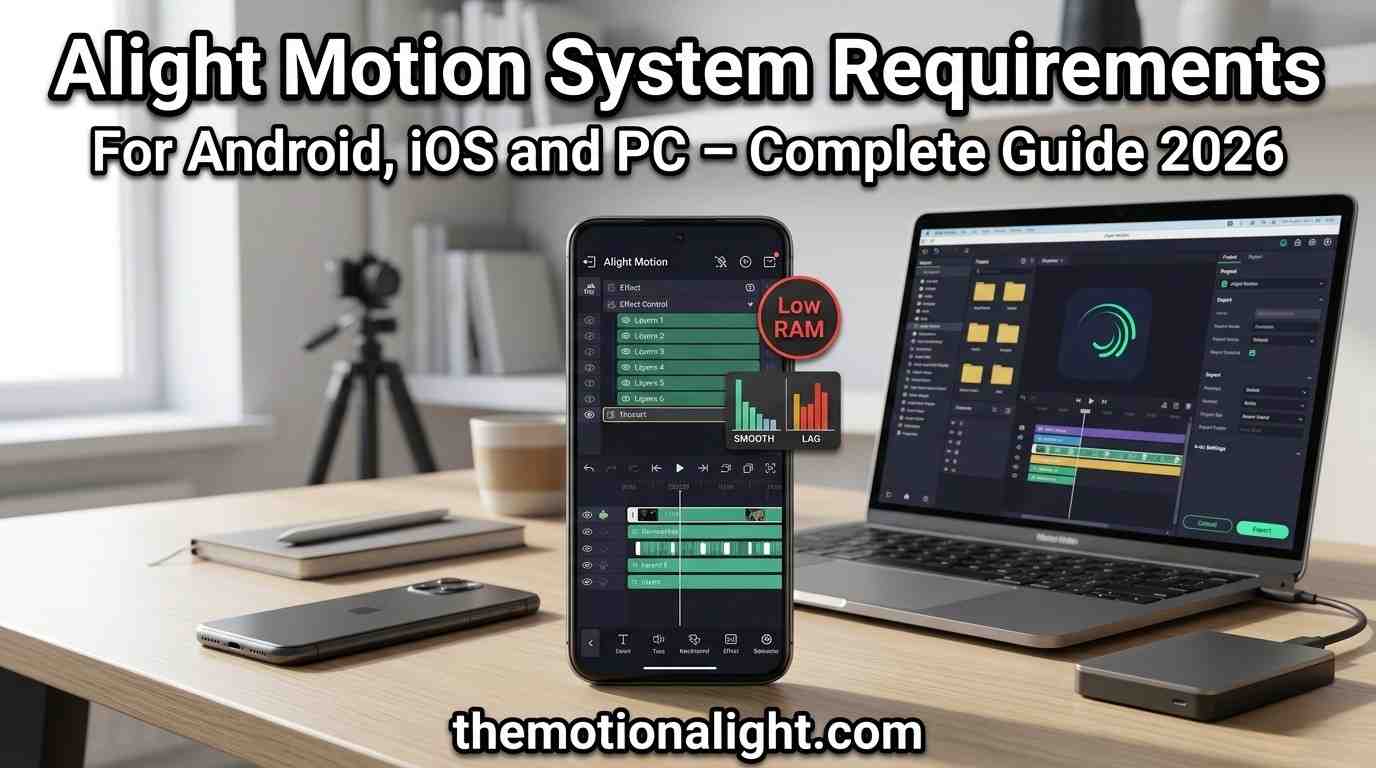
Alight Motion System Requirements For Android, iOS and PC – Complete Guide 2026
Alight Motion is one of the most popular motion graphics and video editing apps available today. Before you download it, knowing whether your device can handle it properly saves you from a frustrating experience crashes, lag, or failed installs. This guide covers everything you need to know about Alight Motion system requirements for Android, iOS, and PC, using only verified information from official sources.
Alight Motion officially supports Android 6.0+, iOS 14.4+, and Mac with Apple Silicon. There is no native Windows version PC users run it through Android emulators like BlueStacks or LDPlayer.
What Is Alight Motion?
Alight Motion is a professional-grade motion graphics app developed by Alight Creative Inc. It brings tools like keyframe animation, multi-layer compositing, vector and bitmap graphics, visual effects, and 4K export directly to your smartphone. Content creators, YouTubers, and social media editors use it because it delivers desktop-level results on a mobile device.
The app is available for free on Google Play Store and Apple App Store. The free version includes a watermark on exports. A paid subscription removes the watermark and unlocks additional premium features.
Why System Requirements Matter
Alight Motion handles complex tasks: multiple video layers, real-time effect previews, high-resolution exports, and detailed keyframe timelines. All of this puts real demand on your device’s processor, RAM, and storage. If your device falls short of the minimum requirements, you will run into:
- App crashes during rendering or export.
- Slow or choppy timeline playback.
- Failed installation from the app store.
- Loss of project data due to unexpected shutdowns.
Meeting the recommended specifications not just the minimum makes a noticeable difference when working on complex projects.
Alight Motion System Requirements for Android
Android is the primary platform Alight Motion was built for. The app is optimized for the Android ecosystem and receives the most consistent performance updates on this platform.
Minimum Requirements (Android)
| Specification | Minimum | Recommended |
|---|---|---|
| Operating System | Android 6.0 (Marshmallow) | Android 7.0 or higher |
| RAM | 1.5 GB | 2 GB or more |
| Storage | 1.5 GB free space | 2 GB or more free space |
| Chipset | Any mainstream Android chipset | Snapdragon 600+ or equivalent |
| GPU | OpenGL ES 3.0 support | Adreno 530 / Mali-G71 or better |
| Internet | Required for first-time setup | Stable connection for project sync |
Supported Android Devices
Alight Motion works on most mainstream Android devices. These are the officially confirmed compatible categories:
- Android smartphones running Android 6.0 or higher.
- Android tablets running Android 6.0 or higher (interface not optimized for tablets, but all features work).
- Chromebooks that support Android apps (full feature access, interface not tablet-optimized).
- Devices with Snapdragon, MediaTek, Exynos, or Kin chipsets.
Devices NOT Supported on Android
The following will not run Alight Motion, regardless of other specs:
- Any Android device running Android 5.x or lower.
- Devices with Marvell, Spreadtrum, or Rockchip chipsets these have hardware-level limitations that prevent the app from working correctly.
- Rooted devices using unofficial APK builds Alight Creative does not provide support for these.
| Important: Alight Creative only supports installations from the official Google Play Store. Apps from third-party or unofficial sources may contain malware, cause data loss, or behave incorrectly. |
Tips to Improve Performance on Android
Even on a supported device, following these steps keeps the app running smoothly:
- Close all background apps before launching Alight Motion.
- Keep at least 2 GB of free storage at all times the app uses temporary files during editing.
- Update your Android OS to the latest version your device supports.
- Clear the app cache regularly if you notice slowdowns (Settings > Apps > Alight Motion > Storage > Clear Cache).
- For 4K or multi-layer projects, use a device with at least 4 GB of RAM.
Alight Motion System Requirements for iOS
Alight Motion is available on iPhone, iPad, and iPod Touch through the Apple App Store. iOS devices generally perform well with the app due to Apple’s tight hardware-software integration.
Minimum Requirements (iOS)
| Specification | Minimum | Recommended |
|---|---|---|
| Operating System | iOS 14.4 | iOS 16 or higher |
| Device | iPhone 6S / iPod Touch 7th Gen | iPhone 8 or newer |
| RAM | 2 GB | 3 GB or more |
| Storage | 2 GB free space | 4 GB or more free space |
| Chip | A9 chip or later | A12 Bionic or later |
| iPad Support | iPad & iOS 14.4+ | iPad Pro (any gen) / iPad Air 4th Gen+ |
Supported iOS Devices
Any iPhone, iPad, or iPod Touch that can run iOS 14.4 or later is compatible with Alight Motion. Here are the most common compatible devices:
iPhone
- iPhone 6S and later (minimum, may experience performance limitations).
- iPhone 8 and later (recommended for smooth editing).
- iPhone 11, 12, 13, 14, 15, 16 series all fully optimized.
iPad
- iPad (7th generation and later).
- iPad Air (3rd generation and later).
- iPad Pro (all generations) best performance.
- iPad Mini (5th generation and later).
iPod Touch
- iPod Touch 7th generation (minimum supported; limited performance).
iOS Devices NOT Supported
- Any device that cannot upgrade to iOS 14.4 (e.g., iPhone 5s, 6, older iPads).
- iPod Touch 6th generation and earlier.
Running Alight Motion on devices below the minimum iOS version may cause crashes, missing features, or a failure to launch.
Performance Notes for iOS Users
iOS devices with the A12 Bionic chip or newer (iPhone XS and later) handle complex projects with multiple layers and effects without noticeable lag. On older supported devices like the iPhone 8, you may experience slower rendering on high-resolution exports or when using many simultaneous effects. Keeping your device updated to the latest iOS version Alight Motion supports will always give you the best results.
| Note for iPad Users: While Alight Motion runs on all supported iPads, Alight Creative has stated that an improved tablet interface is planned but has no confirmed release date as of early 2026. |
Alight Motion on Mac (Apple Silicon)
As of 2026, Alight Motion is officially available for Mac devices with Apple Silicon chips (M1, M2, M3, and M4) through the App Store. This is a significant update Mac users with compatible hardware no longer need a workaround.
Mac System Requirements
| Specification | Requirement |
|---|---|
| Chip | Apple Silicon (M1 or later) |
| macOS Version | macOS 12 Monterey or later (recommended) |
| Storage | 2 GB free space minimum |
| Download | Available directly from the Mac App Store |
Intel-based Macs are not officially supported for the native app. If you own an Intel Mac, you will need to use an Android emulator (see the PC section below).
Alight Motion System Requirements for PC (Windows)
There is no official native version of Alight Motion for Windows. Alight Creative has confirmed there are currently no plans for a Windows release. However, you can run the full Android version of Alight Motion on Windows using an Android emulator. This is a widely used approach and works well with the right hardware.
How It Works
An Android emulator creates a virtual Android environment on your Windows PC. Once installed, you download Alight Motion from the Google Play Store within the emulator, just like you would on an actual Android device. The editing experience is identical to the mobile version you get the same tools, features, and export options.
Recommended Emulators for Running Alight Motion on PC
| Emulator | Notes |
|---|---|
| BlueStacks 5 | Most popular, best overall compatibility with Alight Motion |
| LDPlayer 9 | Lightweight option, good for lower-spec PCs, supports Windows 7+ |
| NoxPlayer | Reliable option, straightforward setup, supports Windows 7+ |
| MEmu Play | Good for multi-instance use, VT-x/AMD-V required |
Minimum PC Requirements (for Running Emulators)
| Specification | Minimum | Recommended |
|---|---|---|
| Operating System | Windows 7 (basic only) | Windows 10 or Windows 11 |
| Processor | Intel Core i3 / AMD equivalent | Intel Core i5 or AMD Ryzen 5+ |
| RAM | 4 GB | 8 GB or more |
| Storage | 5 GB free (for emulator + app) | 10 GB or more free |
| Graphics | Integrated GPU with updated drivers | Dedicated GPU (NVIDIA/AMD) |
| Virtualization | VT-x or AMD-V enabled in BIOS | Hardware virtualization enabled |
| Admin Rights | Required for emulator install | Required |
BlueStacks 5 – Specific Requirements
BlueStacks is the most tested emulator for Alight Motion. If you plan to use BlueStacks 5, your system must meet these requirements:
- Windows 10 or 11 for best compatibility (Windows 7/8 may have instability issues).
- At least 4 GB of RAM allocated to BlueStacks (8 GB total system RAM recommended).
- 5 GB of free disk space.
- Updated graphics drivers from Microsoft or your chipset manufacturer.
- Administrator account on your PC.
Performance Expectations on PC
Running Alight Motion through an emulator is slightly less efficient than running it natively on a mobile device, because the emulator uses additional system resources to translate Android instructions. On a mid-range PC with an Intel Core i5 and 8 GB RAM, expect smooth performance for most editing tasks. Complex projects with many layers or 4K exports will benefit from a Core i7, 16 GB RAM, and a dedicated GPU.
| Pro Tip: In your emulator settings, allocate at least 4 CPU cores and 4 GB of RAM specifically to the emulator for a noticeably better experience with Alight Motion. |
Alight Motion on Linux and Chromebook
Linux
Alight Motion is not officially available for Linux. However, you can run it on Linux distributions that support Android emulators, specifically Ubuntu and Debian. The process involves installing an Android emulator on your Linux system, then running Alight Motion through it. Performance depends heavily on your hardware and the Linux distribution you are using.
Chromebook
Chromebooks that support Android apps from the Google Play Store can run Alight Motion directly. The app will run with all features available, though the user interface is designed for smartphones rather than a Chromebook’s form factor. Check the official Chromebook-compatible Android apps list to verify if your specific model supports this.
System Requirements at a Glance
| Specification | Android | iOS / iPad | PC (Windows/Mac) |
|---|---|---|---|
| OS Version | Android 6.0+ | iOS 14.4+ | Windows 10/11 (via emulator) / macOS (Apple Silicon) |
| Minimum RAM | 1.5 GB | 2 GB | 4 GB system RAM |
| Recommended RAM | 4 GB+ | 3 GB+ | 8 GB+ |
| Storage Needed | 1.5 GB+ | 2 GB+ | 5 GB+ (emulator included) |
| Native App Available | Yes | Yes | No (Mac Apple Silicon only) |
| Official Support | Yes (Play Store) | Yes (App Store) | No (emulator only on Windows) |
Storage Requirements – What You Actually Need
The app installation itself is relatively small, but your projects grow quickly. Here is what to realistically plan for:
| Item | Estimated Size |
|---|---|
| App Installation | Approx. 150–300 MB |
| Project Files (simple) | 50–200 MB each |
| Project Files (complex, multi-layer) | 500 MB – 2 GB each |
| Exported 1080p Video (1 min) | 150–400 MB |
| Exported 4K Video (1 min) | 800 MB – 2 GB |
| Recommended Buffer Space | At least 2–4 GB free at all times |
Common Installation Issues and How to Fix Them
App Not Showing in Google Play or App Store
If Alight Motion does not appear in your app store, it usually means your device does not meet the minimum OS version requirement. Check that your Android version is 6.0 or higher, or that your iOS version is 14.4 or higher. If your device cannot update to these versions, it is not compatible.
Installation Fails Partway Through
This is almost always a storage issue. Make sure you have at least 2 GB of free space before attempting installation. Clear cached data from other apps if needed.
App Crashes on Launch
This can happen if your device meets the minimum requirements but is running too many background processes. Restart your device, close all background apps, and try again. If the problem persists on an older device, it likely sits at the edge of compatibility and may struggle with the latest version of the app.
Emulator Not Running Alight Motion Smoothly on PC
The most common cause is insufficient RAM allocation to the emulator. Open your emulator’s settings and increase the allocated RAM to at least 4 GB. Also verify that hardware virtualization (VT-x or AMD-V) is enabled in your PC’s BIOS settings most emulators require this for proper performance.
Frequently Asked Questions
Does Alight Motion work on Android 5?
No. Alight Motion requires Android 6.0 as the absolute minimum. Android 5.x lacks core system features the app depends on. There is no workaround for this devices on Android 5 cannot run Alight Motion.
Can I use Alight Motion on a Windows PC without an emulator?
No. There is no native Windows version of Alight Motion, and Alight Creative has confirmed no Windows release is planned at this time. An Android emulator is the only supported path on Windows.
Is Alight Motion available natively on Mac?
Yes, but only on Macs with Apple Silicon chips (M1, M2, M3, M4). Intel-based Macs are not supported for the native app. You can download it directly from the Mac App Store if your Mac has an M-series chip.
What is the best emulator for Alight Motion on PC?
BlueStacks 5 is the most widely used and tested option for Alight Motion on PC. LDPlayer 9 is a good alternative if you have a lower-spec machine, as it tends to be lighter on system resources.
Does Alight Motion work on iPad?
Yes. Any iPad running iPad iOS 14.4 or later is compatible. iPad Pro models offer the best performance due to their powerful Apple Silicon chips. Note that the interface is currently optimized for smartphones, not tablets but all features are fully available.
How much RAM does Alight Motion need?
The absolute minimum is 1.5 GB on Android and 2 GB on iOS. For a smooth experience without lag or crashes, 4 GB of RAM on Android and 3 GB on iOS is the practical target. On PC through an emulator, allocate at least 4 GB of RAM to the emulator itself.
Final Thoughts
Alight Motion is a powerful app, and it needs a reasonably capable device to run the way it was designed. The minimum requirements will get the app installed, but for real editing work especially with multiple layers, effects, and high-resolution exports meeting the recommended specifications makes a significant difference in your day-to-day experience.
For Android users, anything running Android 7.0 with 4 GB of RAM will handle the app well. For iPhone users, an iPhone 8 or later on iOS 14.4+ is the practical baseline. Mac users on Apple Silicon can download it directly from the App Store. Windows users have a reliable path through emulators like BlueStacks 5 or LDPlayer 9 just make sure your PC has at least 8 GB of RAM and a decent processor.
Always download Alight Motion from the official Google Play Store or Apple App Store. This is the only way Alight Creative can provide support if something goes wrong.