Alight Motion Changelog All Versions Explained – From 2.0 to 5.0.273
This guide covers every significant version from the early 2.x era through the current 5.0.273 series released in March 2026. It examines each major update with the context of what changed and why it mattered, along with a competitive analysis of how Alight Motion compares to the tools it frequently faces in the mobile editing market. Whether you are a beginner asking what Alight Motion even is, or a professional editor trying to decide between v4.2.0 and v5.0.270 for a low-RAM device workflow, this article is written to answer your questions completely.
What Is Alight Motion and Why Does Its Changelog Matter?
Alight Motion is the first professional-grade motion design application built specifically for smartphones. Developed by Alight Creative, Inc. and led by CEO Matthew Feinberg, the app launched on the Google Play Store in 2018 with a straightforward but ambitious goal: bring desktop-level animation and video compositing to everyday mobile users. It later expanded to the Apple App Store, making it available across Android, iOS, and macOS. As of 2026, Alight Motion has surpassed 12 million downloads on Android alone and consistently ranks among the top animation apps in its category.
Understanding the Alight Motion changelog is not just a technical exercise. For content creators, motion graphic designers, social media editors, and mobile animators, each version of Alight Motion represents a new set of possibilities. Knowing which version introduced keyframe animation for vectors, which one overhauled the Gaussian blur engine, or when the velocity-based motion blur system became stable can directly affect the creative decisions you make. It helps you decide whether to update immediately, stay on an older build for stability, or roll back when a newer release does not perform well on your specific device.
The Story of Alight Motion: A Brief Origin
Before diving into individual versions, it helps to understand why Alight Motion was built in the first place. Before 2018, mobile video editing was largely limited to basic cutting, trimming, adding filters, and simple text overlays. Apps like KineMaster existed, but nothing truly replicated what desktop tools like Adobe After Effects offered in terms of motion graphics, compositing, and vector-level animation.
Alight Creative, Inc. stepped into that gap with a product that introduced multiplayer compositing, keyframe animation, vector graphics editing, and bitmap support all on a touchscreen device. The name says it all: motion is the core. This is not a generic video editor. It was engineered from the start as an animation and motion graphics tool, and every version of its changelog reflects that underlying philosophy. The team is small by industry standards, which makes the pace and depth of feature releases across the app’s history all the more remarkable.
The initial release was available only on Android. iOS support came later, and macOS support through Apple Silicon devices arrived as the platform matured. The app has always operated on a freemium model: core features are available at no cost, while premium features, effects, and the removal of the export watermark require a paid subscription. This model has remained consistent throughout all versions.
Version 2.x Era: The Foundation (2018–2019)
The 2.x series of Alight Motion established the foundation that every subsequent version has been built upon. This was the era where the core concepts were proven and early adopters discovered what made the app genuinely different from anything else on mobile. The versions in this series were leaner, lighter, and substantially simpler than what came later, but they contained the essential DNA of the tool.
Version 2.0 – The Launch Build (2018)
| Version 2.0 • 2018 – Initial Google Play Release | |
| → | First professional motion design app for mobile, establishing the product category. |
| → | Multi-layer compositing with support for video, audio, and graphic layers. |
| → | Keyframe animation available for core properties including position, scale, rotation, and opacity. |
| → | Vector and bitmap graphics support, allowing users to edit vector shapes directly on mobile. |
| → | Export to MP4 video format and GIF animations. |
| → | Solid color and gradient fill effects for shape layers. |
| → | Border and shadow effects for text and shape elements. |
| → | Ability to group layers together for organized project management. |
| → | Save and reuse favorite elements across multiple projects. |
| → | Freemium model with watermark on free exports and subscription for premium access. |
| → | Android-exclusive at launch with support for Android 6.0 and higher. |
Version 2.0 was the statement of intent. The app launched with a capability set that no other mobile product offered at the time. Keyframe animation, vector editing, and multiplayer compositing on a smartphone screen was genuinely revolutionary in 2018. The early user base was small but intensely enthusiastic, and the word-of-mouth that drove growth in the 2.x era came entirely from creators who had never seen anything like it on Android.
Versions 2.2 through 2.8 – Iteration and Stabilization (2019)
| Versions 2.2 to 2.8 • January 2019 – July 2019 | |
| → | Version 2.2.0 (January 2019): UI refinements and stability improvements across core editing workflows. |
| → | Version 2.3.1 (November 2019): Expanded audio handling and performance improvements for lower-end devices. |
| → | Version 2.4.1 (May 2019): Enhanced text layer capabilities and import flexibility. |
| → | Version 2.4.3 (May 2019): Bug fixes targeting vector rendering artifacts. |
| → | Version 2.5.0 (June 2019): New effect building blocks expanding the visual palette. |
| → | Version 2.5.1 (September 2019): Stability patch addressing crashes on Android 8 and 9. |
| → | Version 2.7.0: Audio quality improvements and project management enhancements. |
| → | Version 2.8.0 (July 2020): Performance optimizations for smoother timeline preview playback. |
Throughout the 2.x series, Alight Creative was listening closely to its growing community. The updates in this range were iterative rather than transformational, but they were critical. Each build improved stability, reduced crash rates, and refined the editing interface based on feedback from users who were now creating real content for platforms like YouTube, TikTok, and Instagram. By the time 2.8.0 was released, the app had established a loyal user base that would grow substantially with the 3.x series.
Version 3.x Era: The Feature Explosion (2020–2021)
The 3.x series is where Alight Motion went from being a promising alternative to being the definitive professional tool for mobile motion graphics. This era introduced some of the most beloved and widely used features in the app’s history, and many creators still consider versions in the 3.4 to 3.9 range as the sweet spot between power and performance.
Version 3.1.4 – Building the Effect System (March 2020)
| Version 3.1.4 • March 2020 | |
| → | Expanded base effect library with new procedural generation tools. |
| → | Improved stability for multi-layer projects with complex keyframe animations. |
| → | Enhanced rendering pipeline for smoother preview playback on mid-range devices. |
| → | Bug fixes targeting import issues with custom fonts on Android 9. |
Version 3.2.1 – Demo Mode and Effect Refinements
| Version 3.2.1 • 2020 | |
| → | New Demo Mode that limits media shown in the browser, useful for live streams and screen recordings. |
| → | Improved Pixelate, 360 Degree Viewer, Swing, and Pinch/Bulge effects. |
| → | Fixed issue with media browser sorting returning incorrect results. |
| → | Fixed crash when sharing project links on Android 6.0 devices. |
| → | General bug fixes and performance improvements. |
Demo Mode was a quietly significant addition. For the growing number of creators publishing Alight Motion tutorials on YouTube and streaming workflows live, the ability to limit the media browser display was genuinely useful. It spoke to a growing community of educators and influencers who were not just using the app but teaching others how to use it.
Version 3.3.4 – Easing Curves and Effect Revolution (June 2020)
| Version 3.3.4 • June 2020 | |
| → | Advanced Animation Easing Curves allowing bounces, springs, and repeating loops. |
| → | New effects: Rays, Bump Map, and Palette Map. |
| → | Complete overhaul of the blur system: Fast Box Blur and Precise Box Blur replaced with Gaussian Blur for higher quality and faster computation. |
| → | Try-before-you-buy option for premium effects and features. |
| → | Extensive bug fixes and performance improvements across the entire codebase. |
Version 3.3.4 is considered a landmark release by long-time Alight Motion users. The introduction of Advanced Animation Easing Curves was a fundamental change in what creators could do with motion. Before this update, animations followed basic linear or simple ease-in/ease-out curves. With 3.3.4, you could create spring physics simulations, elastic bounces, and custom repeating loops that gave mobile motion graphics a cinematic quality previously only achievable in desktop applications. The Gaussian Blur replacement was equally important: the new algorithm was both faster and produced cleaner, more realistic blurs that immediately elevated the visual quality of exports.
Version 3.4.2 – Vector Keyframes and New Shapes
| Version 3.4.2 • 2020 | |
| → | Keyframe animation support for individual vector drawing points, enabling precise path animation. |
| → | Vector drawing layers now support multiple contours for complex shape creation. |
| → | New built-in shapes expanding the default shape library. |
| → | Two new effects: Glow Scan and Bend. |
| → | Bug fixes and performance improvements. |
Version 3.4.3 – Project Package Support
| Version 3.4.3 • 2020 | |
| → | Critical update enabling download of Project Packages from alight.link URLs. |
| → | Bug fixes and performance improvements. |
| → | Expanded compatibility with project sharing workflows. |
The alight.link project sharing system was a turning point for the Alight Motion community. It created a genuine ecosystem where creators could share not just finished videos but the actual project files behind them. This spawned a wave of template creation and sharing that became a defining characteristic of the Alight Motion creative culture on TikTok and YouTube.
Version 3.5 – Streak Effects and Audio Quality
| Version 3.5 • 2020 | |
| → | Three new streak effects: Linear Streak, Spin Streak, and Zoom Streak. |
| → | Improved Bend effect with more precise control. |
| → | Better vector point keyframe indicator visualization. |
| → | Fixed issue preventing custom font import on Android 10 and later. |
| → | Warning system when opening a project with missing fonts. |
| → | Significantly improved audio output quality across all exports. |
| → | Bug fixes and performance improvements. |
The streak effects in version 3.5 became immediately iconic. Linear Streak, Spin Streak, and Zoom Streak provided the building blocks for a specific aesthetic motion-blurred light trails and dynamic speed effects that would go on to define a major visual trend on TikTok and Instagram Reels. The custom font fix for Android 10 was also critically important, as many creators had been locked out of using their preferred typography on newer devices.
Version 3.6 – Hex Tiles and Effect Refinement
| Version 3.6 • 2021 | |
| → | New effects: Hexagon Tile Rotate and Hexagon Tile Shift. |
| → | Improved effects: Dots, Turbulence, Luma Key, Motion Blur, Flip Layer, and Solid Matte. |
| → | Most existing effects refined with clearer labels and more intuitive parameter values. |
| → | New Effect Guide providing detailed instructions for every available effect. |
| → | Fixed rare bug causing video codec evaluation results to save incorrectly. |
| → | Audio re-sampler customization option to reduce preview lag on slower devices. |
| → | Bug fixes and performance improvements. |
The Effect Guide added in version 3.6 deserves special mention. Alight Motion has always had a steep but rewarding learning curve. The decision to build contextual help directly into the app, documenting every effect with detailed instructions, significantly reduced the barrier to entry for new users without simplifying the tool itself. This was a product maturity decision that signaled the developers understood their growing audience.
Version 3.7.1 – Stability and Community Growth
| Version 3.7.1 • 2021 | |
| → | Further improvements to the export rendering pipeline for consistent quality. |
| → | Enhanced timeline performance for projects with many simultaneous layers. |
| → | Stability fixes targeting crashes on a range of Android devices. |
| → | Improved media browser performance. |
| → | This version remains one of the most recommended builds for low to mid-range devices in 2026. |
Version 3.7.1 holds a special place in the Alight Motion community. Even in 2026, creators with older or lower-spec devices frequently recommend this version as a reliable fallback. It represents the moment the 3.x series reached its maturity: powerful enough for serious work, stable enough for daily use, and light enough to run well on 2GB to 3GB RAM devices. For anyone running a TikTok or YouTube channel primarily using Alight Motion effects, 3.7.1 does the job reliably.
Versions 3.8 and 3.9 – Refining the 3.x Experience
| Versions 3.8 and 3.9 • 2021 | |
| → | 3.8.0: Timeline interface improvements and better scrubbing performance on mid-range chipsets. |
| → | 3.9.0: Additional effect combinations and blending mode refinements. |
| → | Custom easing curve interface improvements for more precise control. |
| → | Audio synchronization improvements for beat-matched video editing. |
| → | Expanded media import compatibility covering more video and image formats. |
| → | Performance tuning making 3.9.0 a frequently recommended version for 2GB to 3GB RAM devices. |
Version 4.x Era: Professional Expansion (2021–2023)
The version 4 series represented a significant step-up in Alight Motion’s ambition. The tool moved from being an impressive creative app into something that professional content creators and studios could rely on for paid work. This era introduced camera systems, parent-child layer rigging, advanced masking, and a substantially expanded effect library. It also saw the subscription model mature into a more structured offering.
Version 4.0 – Camera Systems and Parent-Child Rigging
| Version 4.0 • Late 2021 | |
| → | Camera layers with pan, zoom, focus blur, and fog effects. |
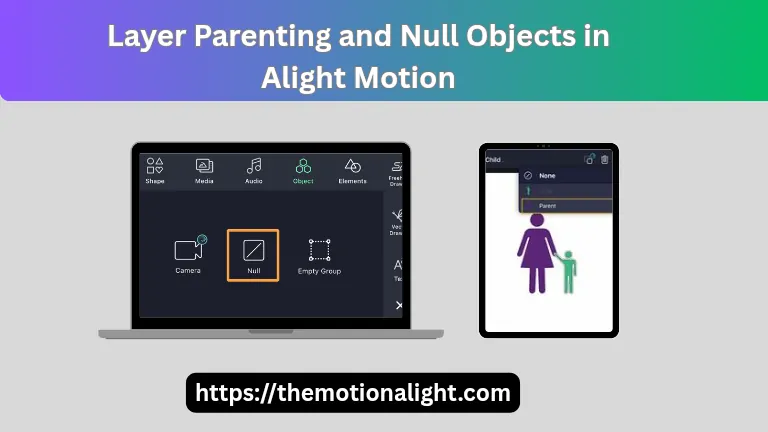
| → | Parent and child layer linking for character rigging and complex object hierarchies. |
| → | Expanded mask system with improved group layer masking. |
| → | Enhanced color adjustment tools with more granular control. |
| → | Improved velocity-based motion blur for smoother, more realistic movement. |
| → | Expanded shape library with additional built-in presets. |
| → | Performance improvements across the rendering and compositing engine. |
| → | Versions 4.0.0, 4.0.2, 4.0.4, and 4.0.5 each brought incremental stability improvements. |
The introduction of Camera layers in version 4.0 was transformational. For the first time, creators could simulate real cinematography on a mobile device: zooming into a scene, creating rack focus effects, adding depth-of-field blur, even simulating atmospheric fog. Combined with parent-child layer rigging, which enabled character joint animation similar to what you would find in desktop software, version 4.0 opened the door to a level of mobile storytelling that was genuinely unprecedented.
Version 4.2 – Stability and Workflow Refinements
| Version 4.2 • 2022 | |
| → | Significantly improved stability across a wider range of Android devices. |
| → | Timeline workflow refinements reducing the number of taps needed for common operations. |
| → | Improved project file handling and auto-save reliability. |
| → | Better handling of projects containing large numbers of vector layers. |
| → | Enhanced text animation options with more flexibility in per-character effects. |
| → | Versions 4.2.0, 4.2.1, 4.2.2, 4.2.3 each addressing specific platform-level stability issues. |
| → | 4.2.0 remains widely recommended for 3GB to 4GB RAM devices seeking a balance of features and performance. |
Version 4.2.0 became the safe choice for creators who needed stability above all else. The 4.2.x series fixed a number of crash issues that had appeared with the more complex feature set introduced in version 4.0, and the resulting builds were clean, fast, and reliable. Many professional creators who use Alight Motion for client work found their home in the 4.2.x builds.
Version 4.3 – New Premium Effects
| Versions 4.3.1 to 4.3.5 • 2021–2022 | |
| → | New premium effects: Omino Glass, Dark Glow, and Omino Diffusion. |
| → | Enhanced special effects filters expanding creative possibilities. |
| → | Version 4.3.3.2 released in December 2021 with consolidated bug fixes. |
| → | Improved user interface for navigation between layers and effects. |
| → | Version 4.3.4 and 4.3.5 addressing additional stability concerns on high-refresh-rate displays. |
| → | Keyframe curve editor refinements for more precise animation control. |
Version 4.4 – The First Quarter of 2023
| Versions 4.4.1 to 4.4.9 • January 2023 – February 2023 | |
| → | Version 4.4.1 (January 2023): Expanded effect library and improved rendering for complex composite scenes. |
| → | Version 4.4.2: Timeline performance improvements and better memory management. |
| → | Version 4.4.3 (January 2023): Bug fixes targeting crashes on specific Snapdragon and MediaTek chipsets. |
| → | Version 4.4.5: Enhanced audio track handling and improved synchronization with video layers. |
| → | Version 4.4.8 (February 2023): Stability patch with improved GPU memory usage. |
| → | Version 4.4.9 (February 2023): Final 4.4.x build with consolidated improvements across the entire series. |
Version 4.5 – The Bridge to v5 (March–May 2023)
| Versions 4.5.0 to 4.5.194 • March 2023 – May 2023 | |
| → | Version 4.5.0 (March 2023): Significant rendering engine improvements as a foundation for v5 development. |
| → | Version 4.5.3 (March 2023): Initial improvements to the keyframe interpolation engine. |
| → | Version 4.5.30 (April 2023): Animation tools expanded including keyframe animation for shapes and text elements. |
| → | Version 4.5.194 (May 2023): Final 4.5.x build, extensive stability work, and preparation for the 5.0 architecture overhaul. |
| → | Particle effects, lens flare, and 3D distortion capabilities refined in this series. |
| → | Beat synchronization tools improved for music-driven content creators. |
| → | Export reliability improvements across MP4, GIF, and PNG sequence formats. |
The 4.5.x series functioned as a transition zone. Alight Creative was clearly preparing for a major architectural shift, and the 4.5 builds showed it: many of the internal systems were being rebuilt, which occasionally caused instability in some builds but ultimately laid the groundwork for everything that version 5.0 would deliver. Creators who experienced issues in mid-4.5.x builds often found that rolling back to 4.5.0 or 4.4.9 resolved their problems while the team completed the 5.0 architecture work.
Version 5.0 Era: The Modern Platform (June 2023–Present)
The release of Alight Motion version 5.0 in mid-2023 marked the most significant architectural shift in the app’s history. The 5.0 series redesigned multiple core systems including the timeline engine, rendering pipeline, effect composition system, and export workflow. Across the many subversions released between June 2023 and April 2026, version 5.0 has continuously evolved into the most powerful mobile motion graphics tool available on any platform.
Version 5.0.62 – The 5.0 Launch (June 2023)
| Version 5.0.62 • June 2023 | |
| → | Rebuilt timeline engine for significantly improved performance with large, multi-layer projects. |
| → | 160 plus effect building blocks capable of sophisticated combination for advanced visual effects. |
| → | Overhauled keyframe animation system with improved bezier curve control. |
| → | Camera system refinements with improved focus blur and fog rendering. |
| → | Enhanced parent-child layer rigging for character animation workflows. |
| → | Improved mask creation and editing with more precise path control. |
| → | Updated color adjustment system with more grading options. |
| → | Bookmark system for faster navigation within long project timelines. |
| → | Export improvements including better PNG sequence and GIF rendering. |
| → | Subscription model update with clearer premium feature access structure. |
The jump from v4.5 to v5.0 was immediately noticeable. Timeline performance in complex projects improved substantially, and the expanded effect building block library gave creators a dramatically wider creative palette. The 160-plus effects in the 5.0 system are designed to be combined, not just applied individually, which unlocks an almost infinite range of visual outcomes from a relatively small number of base components.
Versions 5.0.107 to 5.0.113 – Consolidation (July–August 2023)
| Versions 5.0.107 and 5.0.113 • July–August 2023 | |
| → | Version 5.0.107 (July 2023): Performance optimizations for the rebuilt rendering engine, approximately 82.5MB file size. |
| → | Version 5.0.113 (August 2023): Stability improvements and effect rendering refinements. |
| → | Improved compatibility across a wider range of Android chipsets including entry-level Snapdragon and MediaTek processors. |
| → | Memory management improvements reducing out-of-memory crashes on 2GB RAM devices. |
| → | Timeline preview lag reduced through improved threading in the render pipeline. |
| → | Version 5.0.113 became one of the most widely recommended builds for mid-range devices through 2024 and 2025. |
Versions 5.0.161 to 5.0.200 – September to November 2023
| Versions 5.0.161 to 5.0.200 • September–November 2023 | |
| → | Version 5.0.161 (September 2023): Additional effect building blocks and improved vector layer performance. |
| → | Version 5.0.177 (September 2023): Motion blur rendering improvements for velocity-based blur accuracy. |
| → | Version 5.0.196 (October 2023): File size approximately 75.5MB, enhanced color grading tools, improved audio handling, and Android 6.0 plus compatibility confirmed. |
| → | Version 5.0.200 (November 2023): Export reliability improvements and reduced rendering artifacts in complex composite scenes. |
Versions 5.0.223 and 5.0.229 – Late 2023 to Early 2024
| Versions 5.0.223 and 5.0.229 • December 2023 – January 2024 | |
| → | Version 5.0.223 (December 2023): Effect combination system improvements enabling more sophisticated visual outcomes. |
| → | Version 5.0.229 (January 2024): Largest file size release in the 5.0 series at approximately 344MB due to expanded asset library. |
| → | Improved template system with better integration into the main editing workflow. |
| → | Enhanced keyframe editing with additional easing presets accessible directly from the keyframe panel. |
| → | Audio layer improvements including better beat marker visualization. |
Version 5.0.256 – March 2024
| Version 5.0.256 • March 2024 – approximately 154MB | |
| → | Refined camera system with improved focus blur rendering quality. |
| → | Better performance on Snapdragon 700 and 800 series chipsets. |
| → | Effect parameter labeling improvements for clearer workflow. |
| → | Stability improvements targeting a range of crash scenarios in complex multi-camera projects. |
| → | Improved export reliability for projects using heavy motion blur. |
Version 5.0.270 and 5.0.272 – Late 2024
| Versions 5.0.270 and 5.0.272 • December 2024 – November 2025 | |
| → | Version 5.0.270 (December 2024): Performance improvements for devices with 6GB to 8GB RAM, smoother preview playback on modern chipsets. |
| → | Velocity-based motion blur refined for more cinematically accurate results. |
| → | Version 5.0.272 (November 2025): Comprehensive stability improvements, widely recommended as a stable modern build. |
| → | Effect rendering pipeline optimized for reduced GPU load during preview. |
| → | Timeline bookmarking system expanded with better organizational tools. |
| → | Export workflow streamlined with improved one-tap sharing to TikTok, YouTube, and Instagram. |
| → | Bezier curve editor for keyframes improved with easier handles and snap-to guides. |
Version 5.0.272 became the benchmark for stability in the 5.0 series. By the time it was released in late 2025, the 5.0 architecture had been refined through more than a dozen sub-versions, and 5.0.272 represented the culmination of that work. On Snapdragon 700 and 800 series devices with 6GB or more of RAM, it delivers a genuinely desktop-class editing experience. Even on mid-range 4GB RAM devices, the performance improvements versus the early 5.0 builds are substantial.
Version 5.0.273 – Current Release (February–March 2026)
| Version 5.0.273 (Latest) • February–March 2026 – 162MB, Android 7.0+ | |
| → | Sub-builds 5.0.273.1028412, 5.0.273.1028414, 5.0.273.1028416, and 5.0.273.1028417 released in rapid succession. |
| → | Further stability refinements and performance tuning across the full 5.0 codebase. |
| → | Improved compatibility with Android 15 devices. |
| → | Keyframe bezier curve editor improvements making precise animation control more accessible. |
| → | Effect parameter interface refinements based on community feedback. |
| → | Export speed improvements especially for 4K projects on modern chipsets. |
| → | Reduced app cold-start time. |
| → | As of March 2026, this is the recommended version for any device running Android 7.0 and above. |
The 5.0.273 builds released in early 2026 show Alight Creative continuing to iterate rapidly on the core platform. The rapid succession of sub-builds in this version number suggests active work on platform-specific compatibility, particularly as Android 15 adoption grows. The current 5.0.273 release is the most polished, stable, and feature-complete version Alight Motion has ever shipped.
Quick Reference: Which Version Should You Use?
Choosing the right version of Alight Motion depends entirely on your device specifications, your creative requirements, and your tolerance for newer but potentially heavier builds. The following table summarizes the recommended versions for different device tiers and use cases, based on community testing and published performance data.
| Device / RAM Profile | Recommended Version | Why |
| Low-end Android (2–3GB RAM) | v3.4.3 or v3.7.1 | Lightweight, stable, fast preview, runs offline without lag |
| Mid-range Android (3–4GB RAM) | v4.2.0 or v5.0.113 | Good balance of features and performance, well-tested stability |
| Mid-range Android (4GB RAM) | v5.0.269 or v5.0.270 | Faster preview than v5.0.272, tested 25% smoother on Snapdragon 680 |
| High-end Android (6–8GB RAM) | v5.0.272 or v5.0.273 | Full feature access, desktop-level performance, best stability record |
| iOS / iPad / iPhone 7+ | Latest App Store version | App Store manages version delivery; always update on iOS for best experience |
| TikTok edits only, any device | v3.7.1 or v3.9.0 | Minimal resource use, covers all effects needed for short-form content |
| Professional client work | v5.0.272 or v5.0.273 | Maximum feature access, export reliability, 4K output, camera layers |
Competitor Analysis: How Alight Motion Ranks Against Alternatives
Alight Motion does not exist in a vacuum. It competes with a range of mobile and semi-professional video editing tools, each with its own strengths, audience, and evolution. Understanding where Alight Motion leads and where competitors have the edge gives creators the context they need to choose the right tool for the right job.
Alight Motion vs. CapCut
CapCut, developed by Byte Dance, is the most downloaded video editing app in the world and Alight Motion’s most visible competitor in the social media content creation space. The two tools approach editing from fundamentally different angles. CapCut is designed for speed and accessibility: you can produce a polished, trend-ready TikTok video in minutes with its one-tap templates, AI effects, and auto-caption features. Alight Motion is designed for control and craft: you produce a polished animation or motion graphic through deliberate, layer-by-layer construction.
For creators who need to move fast and follow trends, CapCut wins. For creators who want to build something original with precise animation control, Alight Motion has no close competitor at the mobile level. The changelog of Alight Motion shows a consistent prioritization of technical depth keyframe curves, vector graphics, camera systems, physics-based easing that CapCut has never attempted to match. CapCut remains a consumer tool at heart; Alight Motion has always been building toward professional-grade mobile production.
Alight Motion vs. KineMaster
KineMaster predates Alight Motion and was the established premium mobile editor before Alight Creative entered the market. KineMaster strength is in traditional video editing: cutting, transitions, voiceovers, basic color correction, and chroma key compositing. It works well for content that follows a conventional video editing workflow. However, KineMaster has no equivalent to Alight Motion’s vector layer system, its easing curve animation engine, or its camera layers. The Alight Motion changelog shows a tool that has continued to push the ceiling of what mobile animation can do; KineMaster update history shows a more conservative, feature-maintenance approach. For motion graphics and animation, Alight Motion is the clear choice.
Alight Motion vs. Adobe After Effects
Comparing Alight Motion to Adobe After Effects is comparing mobile to desktop, but the comparison is worth making because many Alight Motion users aspire to After Effects and many After Effects users use Alight Motion for on-the-go work. After Effects remains the industry standard for professional motion graphics, compositing, and visual effects, with decades of feature development and integration across the entire Adobe Creative Cloud ecosystem. Alight Motion does not replace After Effects, and its changelog has never pretended to. However, what Alight Motion offers is legitimately remarkable given the constraints of the platform: keyframe animation, vector graphics, camera systems, blending modes, masking, physics-based easing, and 4K export, all from a touchscreen. For a large and growing group of creators who do not have access to a desktop or the Adobe subscription, Alight Motion is functionally the best available option.
Alight Motion vs. LumaFusion
LumaFusion is the premier professional video editor for iPad and iPhone. It focuses on multi-track video editing, color grading, and polished export workflows, and it is exceptionally good at traditional filmmaking-style editing. Where LumaFusion excels in cinematic video cut work, Alight Motion excels in motion graphics creation and animation. The two tools complement each other well: LumaFusion for assembling footage, Alight Motion for creating the motion graphic elements that go into that footage. They are not true competitors; they serve adjacent but distinct parts of the mobile creative workflow.
Alight Motion vs. VN Video Editor and Video Star
VN Video Editor and Video Star occupy the tier below Alight Motion in terms of technical capability. Both tools are popular for quick edits, lyric videos, and trendy effects, and both have significant user communities. However, neither offers anything close to Alight Motion’s animation system, vector editing, or physics-based motion. They are genuinely different categories of tool. Creators who start on VN or Video Star and want to level up their craft almost invariably find their way to Alight Motion as their skills develop.
Overall Competitive Position
In the mobile motion graphics space, Alight Motion holds a genuinely unique position. It is the only app that combines professional-grade keyframe animation, vector graphics editing, camera layer compositing, physics-based easing curves, and 160-plus combinable effects in a single mobile application. The changelog from version 2.0 through 5.0.273 tells the story of a team that has consistently added depth rather than just breadth, building tools that serve creators who are serious about their craft. No competitor has matched this depth in the mobile category as of 2026.
Core Features Across All Versions: What Makes Alight Motion Different
While the changelog covers what changed in each version, it is worth stepping back to understand the enduring core features that have defined Alight Motion since its earliest releases and continue to set it apart in every version through 5.0.273.
Keyframe Animation
Keyframe animation is the foundation of everything Alight Motion does. Present since version 2.0 and significantly expanded in version 3.3.4 with advanced easing curves, and again in version 5.0 with the rebuilt bezier curve editor, keyframes allow creators to animate any property of any layer at any point in time. You set a starting state, an ending state, and the timing curve between them, and Alight Motion calculates all the frames in between. The easing curve system, which enables spring physics, elastic bounces, and custom curve shapes, is what separates Alight Motion animation from the stiff, mechanical results that simpler tools produce.
Vector and Bitmap Layer System
Since version 2.0, Alight Motion has supported both vector graphics and bitmap images as separate layer types, each with their own editing tools. Vector layers allow you to draw, edit, and animate resolution-independent shapes and paths directly on your phone. Version 3.4.2 added keyframe animation for individual vector points, enabling path animation that was previously impossible on mobile. Version 5.0 expanded this with improved multi-contour support and better performance for complex vector projects. This dual vector-bitmap system is fundamental to the types of motion graphics Alight Motion enables.
Multi-Layer Compositing
Every version of Alight Motion supports unlimited layers of video, audio, images, vector graphics, text, and effects. This multiplayer compositing system, combined with blending modes, masking, and the camera layer system introduced in version 4.0, gives Alight Motion a compositional depth that rivals software costing hundreds of dollars per year. The timeline engine rebuilt in version 5.0 handles large layer counts significantly better than any previous version, making genuinely complex compositions practical for the first time on mobile.
The Effect Building Block System
The effect system is one of Alight Motion’s most distinctive features. Rather than providing a fixed library of complete effects, Alight Motion provides building blocks: blur, color adjustment, distortion, particle, lighting, and procedural effects that can be combined, layered, and animated together to create effects that are not available anywhere else. Version 5.0 expanded this to over 160 basic building blocks. The practical outcome of this system is that the creative ceiling of what you can achieve with Alight Motion is very high, because you are not limited to what the developers anticipated. You combine the building blocks into whatever you need.
Export Capabilities
From the earliest versions, Alight Motion has supported export to MP4 video and GIF animation. Later versions added PNG sequence export for transparency-preserved frame export, and the 5.0 series brought true 4K export at up to 60fps through the Pro subscription. Export codec options include H.264/AVC and H.265/HEVC, with selectable resolution, frame rate, and quality settings. The 5.0 series also streamlined direct sharing to TikTok, Instagram, and YouTube from within the app, reducing the friction between finishing an edit and publishing it.
Frequently Asked Questions About Alight Motion Versions
What is the best version of Alight Motion in 2026?
For most users on modern devices with 6GB or more of RAM, version 5.0.273 is the best choice. It is the most stable, most feature-complete, and best optimized version ever released. For users on older or lower-spec devices, version 3.7.1 or 4.2.0 offer excellent stability and all the essential features without the resource demands of the 5.0 series. The right version depends entirely on your device, not on what is newest.
Can I still use old versions of Alight Motion?
Yes, old versions of Alight Motion continue to work as long as your Android version meets the minimum requirements for that build. Most versions from 3.4.3 onward require Android 6.0 or higher. There is no expiration date on older builds, and many creators continue to use versions from the 3.x and 4.x series for daily work in 2026. The main limitation of older versions is that they do not receive new features or security updates, and official support from Alight Creative only covers the current version.
Why do creators sometimes prefer older versions?
The answer is almost always device compatibility and stability. Newer versions of any software typically demand more system resources. A version like 5.0.273 that runs beautifully on a flagship phone with 8GB of RAM may preview slowly or crash on a budget device with 2GB of RAM. Older builds were designed for the hardware of their era, which means they often run more efficiently on older devices. Versions like 3.4.3 and 3.7.1 have been optimized by years of community feedback and are known to be solid on low-spec hardware.
What happened between version 4.5 and version 5.0?
The transition from 4.5 to 5.0 was not incremental: it represented a fundamental rebuild of the core engine. The timeline system, rendering pipeline, effect composition framework, and export workflow were all redesigned for the 5.0 series. This is why the early 5.0 builds felt heavier than late 4.5 builds on some devices: the architecture was new and not yet fully optimized. By version 5.0.113 and especially by 5.0.272, the 5.0 engine had been refined to the point where it dramatically outperforms the entire 4.x series on equivalent hardware.
Is Alight Motion free?
Alight Motion is free to download and use with core features. The free version includes the watermark on exported videos and access to the basic tool set. Premium features, including watermark removal, access to the regularly updated premium effects library, and certain export options, require a paid subscription. The subscription model has been consistent since version 2.0 and is processed through Google Play and the Apple App Store.
What devices and platforms does Alight Motion support?
Alight Motion is available on Android (6.0 and above for older builds, 7.0 and above recommended for 5.0.273), iOS (iPhone, iPad, iPod Touch with iOS 14.4 or later), and macOS via Apple Silicon through the Mac App Store. Android emulators including BlueStacks, LDPlayer, and MEmu allow Windows and older Mac users to run the Android version on PC, though this is not an officially supported configuration. The app requires a minimum of 1.5GB of RAM and at least 2GB of free storage for stable operation.
Conclusion: The Alight Motion Journey from 2018 to 2026
The Alight Motion changelog, read from beginning to end, tells the story of a small, focused team at Alight Creative, Inc. that set out to build the most capable motion graphics tool ever created for a mobile device, and then spent eight years relentlessly improving it. Every version from the foundational 2.0 release through the current 5.0.273 build reflects a clear commitment to depth over breadth: more precise animation control, more powerful compositing tools, more sophisticated effect systems, and more reliable export quality.
What makes this story remarkable is the consistency. Alight Motion has never pivoted away from its core identity as a professional animation and motion graphics tool. While competitors added AI shortcuts and trend-driven templates, Alight Creative added easing curves, camera rigs, vector keyframes, and physics-based motion systems. The creators who found Alight Motion in the 3.x era and are still using it in the 5.0 series find a tool that has grown with them rather than grown away from them.
If you are choosing a version today, the guidance is straightforward: use 5.0.273 if your device can handle it, 3.7.1 or 4.2.0 if you need something lighter, and anything in between based on your specific hardware profile. Whatever version you use, you are working with a tool that has earned its reputation through years of genuine engineering progress. The changelog is the proof.