Best Alight Motion Templates – Free XML Downloads & Complete Guide 2026!
We know that starting an editing project from the beginning level or scratch can be really painful. Setting keyframes, adjusting curves, and syncing beats takes hours. But what if you could create a pro-level edit in just a few minutes? This is the reason why Alight Motion Templates are for?
In 2026, smart editors aren’t just working hard they are working smart by using pre made presets. If you’re making content for you’re client or making any trending reel for Instagram or tiktok with amazing styles and lyrics then templates are cheat for you. In this guide, we will explore the best free XML downloads, how to use them, and how to customize them to make your content viral.
What Are Alight Motion Templates?
Simply put, an Alight Motion template (often shared as an XML file or a project link) is a pre-edited project file. It contains all the layers, effects, transitions, and animations already set up by a creator.
When you import a template, you don’t get a flattened video you get the “recipe.” You can see the music, the shake effects, and the text layers. All you have to do is swap the photos or videos with your own, and boom your video is ready to export.
Why Should You Use Alight Motion Templates?
Why do pro editors love templates? It’s not just about laziness it’s about efficiency.
Instant Editing & Time Saving
Creating a complex 3D transition or a glitch effect can take 30 minutes manually. With a template, it takes 30 seconds. You skip the technical struggle and jump straight to the final result.
Trend-Based Engagement Boost
Social media algorithms love trends. When a specific song or effect (like the Habibi or Pota Pota trend) goes viral, templates allow you to hop on that trend immediately before it fades away.
Skill Improvement & Creativity Growth
This is a secret benefit. By downloading a template, you can look under the hood. You can see exactly how the creator adjusted the Graph Editor or which effects they combined. It’s the best way to learn editing.
Copyright & Ethical Considerations
Most templates are free to use, but always check if the music or assets inside require attribution. Using royalty-free assets ensures your video doesn’t get muted on Instagram or YouTube.
Best Alight Motion Templates List (2026 Updated)
Here are the most popular template styles dominating the editing community this year.
First Love Alight Motion Template
Perfect for romantic status videos. You will see soft blurs, slow motion, and a little bit more features.
Happy Birthday Template Free Download
A lifesaver for last-minute gifts. These templates come with colorful confetti effects, upbeat text animations, and photo placeholders for the birthday person.
Full-Screen Bar Effects Template
Used mostly for music visualizers. If you run a lyrics channel, these templates add rhythmic bars that move to the beat of the song. If you want to be the master of full-screen video creation, then you have to strongly understand the aspect ratio and its resolution in Alight Motion.
Puzzle Effect Template
A very creative style where the image splits into puzzle pieces and reassembles. Great for travel or fashion reels.
Full Screen Alight Motion Template
Designed specifically for the 9:16 aspect ratio (TikTok/Shorts/Reels), ensuring your content fills the entire phone screen without black borders.
PUBG Mobile Template
High-energy edits with aggressive shake effects and “glow” flashes, tailored for gaming highlights and frag movies.
Neon Background Black Screen Template
These are overlay templates. You get glowing neon lyrics or shapes on a black background, which you can blend (using “Screen” mode) over your own videos.
Green Screen Background Template
Similar to neon, but uses chroma key. You can remove the green background to add characters or effects into your custom scenes.
Intro Templates
First impressions matter. These are short (5-10 seconds), punchy animations for your YouTube channel logo or brand name.
Beat Crush Feeling Status Template
Syncs photos perfectly to heavy bass drops. It uses rapid zoom-ins and flash effects to match the rhythm.
Habibi Template
Based on the viral “Habibi” song trend. It features smooth, sliding transitions and specific color grading (usually warm tones).
Pota Pota Template
A fun, bouncy editing style made popular by anime edits and cute TikTok trends. It uses distinctive “bounce” easing curves.
Types of Alight Motion Templates
Not all templates are the same. Knowing the difference helps you download the right file.
XML Templates
The most common format. It’s a tiny file containing code that tells the app where to put layers. It’s lightweight and easy to share.
Text Animation Templates
Text Animation Templates Focuses solely on typography. Kinetic typography, glowing text, and lyric animations fall into this category.
Motion Graphics Templates
These are for business or professional use—clean lower thirds, slide transitions, and info graphic animations.
Wedding Invitation Templates
Elegant, slow-paced, and floral designs used to create digital invitation cards.
CapCut Compatible Templates
Some creators make hybrid templates that start in Alight Motion for effects and finish in CapCut for easy auto-captions.
Shape/Graphic-Based Templates
Abstract backgrounds and looping tunnels made entirely of vector shapes, not photos.
How to Download Alight Motion Templates (Step-by-Step)
XML Files
Usually hosted on Google Drive or MediaFire. You download the .xml file and share it to the Alight Motion app.
Template APK Downloads
Some websites bundle templates into a modified app, but be careful—this can overwrite your current app version. XML is safer.
Downloading from Trusted Websites
Always use reputable sources like official YouTube creators or trusted tech blogs like TheMotionAlight.com to avoid broken files or viruses.
How to Use Templates in Alight Motion (Complete Guide)
Import Template
Once you click the download link, your phone will ask, “Open with?” Select Alight Motion. The project will automatically appear in your “Projects” tab.
Replace Media & Customize
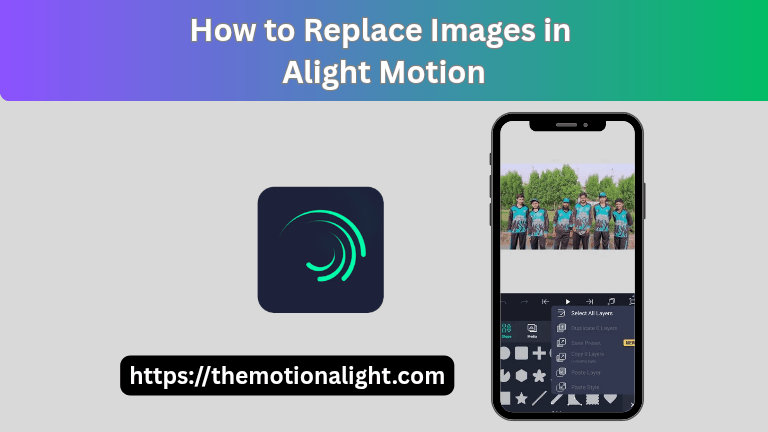
Open the project. Tap on a layer (usually named “Image” or “Replace Me”), go to Color & Fill, and select your own photo/video.
Add Text & Effects
You will see a text on the template you can easily edit this text in your own words or lyrics. You can also toggle effects on/off in the effects panel. You have just given yourself a big creative advantage in Alight Motion by learning how to download, install, and use modern Hindi fonts.
Export Video
Click the top-right export icon. Choose Video (MP4), select 1080p or 4K resolution, and hit Export.
Factors to Check Before Downloading Templates
Device Compatibility (Android / iOS)
XML files work great on Android. iOS users often need a direct “Project Link” (QR code or URL) because file management is different on iPhones.
Free vs Paid Templates
Some premium templates use paid effects. If you don’t have the pro subscription, the app might ask you to pay before exporting. Look for “Free to use” tags.
XML vs APK Differences
XML is just project data (safe). APK is an application file (risky). Always prefer XML or Project Links.
Safety & Legal Considerations
Ensure the download site is secure. Avoid clicking pop-up ads that look like download buttons.
Advanced Tips for Using Alight Motion Templates
Using Templates Across Apps like CapCut
Export your background effects from Alight Motion, then import that video into CapCut to add auto-captions or trending audio easily.
Customizing for Unique Style
Don’t just use the template as is. Change the color grading (Hue Shift) to make it look unique to your brand.
Avoid Overusing Pre Made Effects
Too many effects can ruin the quality. If a template is too flashy, delete a few “Exposure” or “Glow” layers to clean it up.
Build Your Own Template Design
Once you master editing, save your own project as an XML and share it with the community to grow your following.
Create Your Own Alight Motion Templates
Choose Design
Decide on a theme (e.g., Sad Status, Gaming).
Add Keyframes
Create your animation using the Move & Transform tool.
Add Effects
Apply Tiles, Motion Blur, and “Exposure/Gamma.
Export Template XML
Long-press your project in the home screen menu and select Export as XML Project Package.
Future of Alight Motion Templates (2025-2026)
The future is automated. We expect AI to play a bigger role, where templates might auto-adjust to the beat of your music without manual key framing. Also, with phones getting faster, 60FPS and 4K templates will become the standard.
Final Words
In our words you can say that if you will use templates you can save a lot of time and efforts, basically alight motion templates are the bridges between beginner to pro level editor. They save time, teach you new skills, and help you stay trendy. Whether you are using a “First Love” XML or a gaming preset, the key is to customize it and make it your own. Start downloading, start creating!